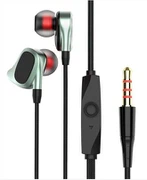
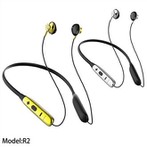
Headphones are indispensable tools in multimedia entertainment and voice communication. However, we often receive help from netizens that there is no sound problem with headphones. What if the headphones don't sound? How to solve this problem?
What if the headphones don't sound?
Software and hardware problems may cause the headset to have no sound. For the problem of how to do without sound in the headset, we should first check whether the headset is plugged into the correct Jack and whether it is confused with the microphone jack. You can plug the headset into another computer to determine if the headset is available on another computer. If it is available, we mainly consider the problems in the settings and drivers of the computer (we do not rule out that there is no sound in the headset caused by the contact problem of the headset jack or the problem of computer components, but this situation is rare and difficult to solve by ourselves, so we will not discuss it).
What if the headphones on the front panel jack of the computer host have no sound?
If only the headphones on the front panel jack have no sound, and the sound card is a Realtek sound card, it is generally a problem with the setting of Realtek. In the start run, enter rthdcpl Exe, in the open high-definition audio configuration, click the audio I / O tab, click the small wrench on the right side of "simulation", and change the check mark before the option of "AC97 front panel support" (some versions have different options, but have the same function, so you can try to adjust). In this way, the problem of how to do without sound on the front panel headphones can be solved.
What if there is no sound in the computer's external playback function and headphones?
If there is no sound in the external playback function of the computer, we should use Jinshan guard to check whether the sound card driver is normal.
Open Jinshan guard, enter the "reinstall system" tab on the main interface, and enter the "install drive" function at the "other functions" in the lower left corner.
Check whether the sound card driver appears in the defective driver device column. If there is a problem, click the "repair" button on the right, and the problem of "what if there is no sound in the headset" can generally be solved.
We can also upgrade our sound card driver to the latest version in the "driver update" tab (provided that the sound card driver has an updated version), which can sometimes solve the problem of what to do if there is no sound in the headset.
We can also right-click the "my computer" (the "computer" of Vista and win7) icon - properties - hardware - Device Manager to check whether there are audio devices with question marks and exclamation marks in the sound, video and game controllers to determine whether the driver installation is normal, so as to determine whether the symptom of no sound in the headset is caused by driver errors. If the wrong number appears in front of the device, the device is disabled. Just right-click the device and click enable. In this way, the problem of how to do without sound in the headset will be solved.
Headphones are indispensable tools in multimedia entertainment and voice communication. However, we often receive help from netizens that there is no sound problem with headphones. What if the headphones don't sound? How to solve this problem?
What if the headphones don't sound?
Software and hardware problems may cause the headset to have no sound. For the problem of how to do without sound in the headset, we should first check whether the headset is plugged into the correct Jack and whether it is confused with the microphone jack. You can plug the headset into another computer to determine if the headset is available on another computer. If it is available, we mainly consider the problems in the settings and drivers of the computer (we do not rule out that there is no sound in the headset caused by the contact problem of the headset jack or the problem of computer components, but this situation is rare and difficult to solve by ourselves, so we will not discuss it).
What if the headphones on the front panel jack of the computer host have no sound?
If only the headphones on the front panel jack have no sound, and the sound card is a Realtek sound card, it is generally a problem with the setting of Realtek. In the start run, enter rthdcpl Exe, in the open high-definition audio configuration, click the audio I / O tab, click the small wrench on the right side of "simulation", and change the check mark before the option of "AC97 front panel support" (some versions have different options, but have the same function, so you can try to adjust). In this way, the problem of how to do without sound on the front panel headphones can be solved.
What if there is no sound in the computer's external playback function and headphones?
If there is no sound in the external playback function of the computer, we should use Jinshan guard to check whether the sound card driver is normal.
Open Jinshan guard, enter the "reinstall system" tab on the main interface, and enter the "install drive" function at the "other functions" in the lower left corner.
Check whether the sound card driver appears in the defective driver device column. If there is a problem, click the "repair" button on the right, and the problem of "what if there is no sound in the headset" can generally be solved.
We can also upgrade our sound card driver to the latest version in the "driver update" tab (provided that the sound card driver has an updated version), which can sometimes solve the problem of what to do if there is no sound in the headset.
We can also right-click the "my computer" (the "computer" of Vista and win7) icon - properties - hardware - Device Manager to check whether there are audio devices with question marks and exclamation marks in the sound, video and game controllers to determine whether the driver installation is normal, so as to determine whether the symptom of no sound in the headset is caused by driver errors. If the wrong number appears in front of the device, the device is disabled. Just right-click the device and click enable. In this way, the problem of how to do without sound in the headset will be solved.